
KenBarkly
willman jamesVideo Players & Editors
4.6366.00 Reviews
- Version
- 1.1.2
- Installs
- 100.00K
- Age Rating
- Everyone
Screenshots
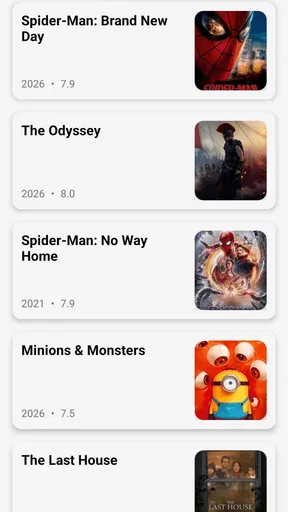
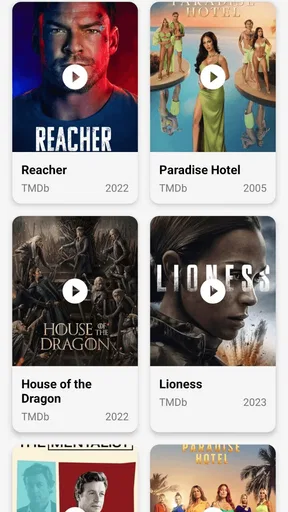
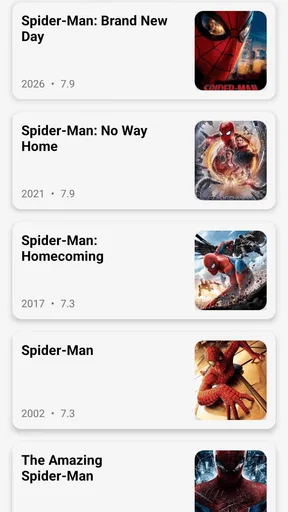
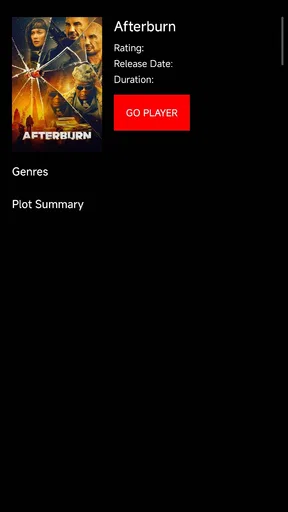
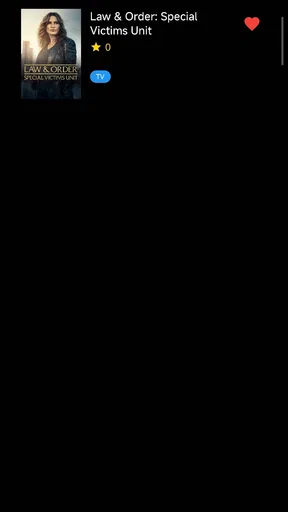
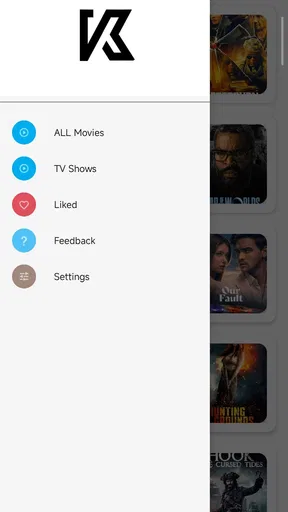
Our Review of KenBarkly
 Analysis by Appyee
KenBarkly is a free video app from willman james that immediately raises a simple question: is it useful beyond the first few curious sessions? Its store summary is “Trailers,” while the short description is simply “KenBarkly,” so the practical experience matters more than the listing copy. I approached it as a lightweight way to browse trailer-style video content, then paid attention to whether it could become part of a regular viewing habit rather than remain a novelty.
My first impression was shaped by that narrow identity. This is not an all-purpose editor, a full streaming replacement, or a serious media library. It belongs in the video players and editors space, but its appeal is more focused: opening an app when I want quick visual previews instead of committing to a complete film, show, or long video. That makes it easy to understand, although it also means the app has to offer enough freshness and convenience to justify staying installed.
What the first week feels like
During the first week, an app like this benefits from low commitment. Trailers are naturally suited to short sessions: I can browse for a few minutes, watch a preview, and leave without losing my place in a long program. That makes KenBarkly a reasonable companion for moments such as waiting for an appointment, deciding what to watch later, or showing someone a quick selection before choosing a movie night option.
I also found that the app’s value depends heavily on how quickly I can move from opening it to finding something interesting. A trailer-focused experience should feel more like scanning a shelf than starting a complicated project. If the interface keeps the path simple, the app can be pleasant for casual discovery. If browsing requires too much tapping or repeated searching, the short-video advantage disappears quickly.
The strongest early use case is therefore not “watch everything here.” It is “use this as a decision-making tool.” I can sample a title’s mood, pacing, cast presence, or general style without spending an hour on a film that may not suit me. That is a small benefit, but it is a real one, especially for people who often spend longer choosing entertainment than actually watching it.
KenBarkly is also approachable for households with different levels of technical confidence. It is free, carries an Everyone content rating, and runs on Android seven point zero or later. Those details make it accessible to people using older compatible devices, although compatibility alone does not guarantee the same smoothness on every phone. Older hardware may make loading and playback feel less comfortable than on a newer device.
The app’s public response suggests that it has found an audience: it holds a 4.6 average from around 1.1 thousand ratings and has passed 100 thousand installs. I treat that as encouraging rather than conclusive. A strong average can indicate that the basic experience works for many users, but it does not answer the more personal question of whether the available content matches my tastes or whether I will still open the app after the initial curiosity fades.
A useful everyday routine
One practical routine is to use KenBarkly before opening a larger entertainment service. Suppose I have twenty minutes before leaving home and want something to watch later. I can browse a few previews, note which titles seem promising, and then move to the service where the full content is available. This keeps the app in a supporting role rather than forcing it to replace tools designed for complete viewing.
Another sensible routine is group selection. When friends or family disagree about what to watch, a trailer can settle the discussion faster than a description or a poster. I would show two or three options, compare the tone and story setup, and make a choice. The important tip is to treat trailers as evidence, not guarantees: they are designed to create interest, so the most exciting moments may not represent the entire film or series.
That distinction is one of the app’s less obvious trade-offs. KenBarkly can improve discovery, but it may also encourage snap judgments. A preview can make a quiet film look dull or make a complicated production seem like a standard action title. I would use it to narrow choices, not to dismiss something solely because its trailer is unfamiliar or restrained.
What remains useful after the novelty
The month-to-month question is more demanding. A trailer app earns lasting space only if it continues to help me discover relevant material or gives me a faster way to revisit previews. The first-week excitement comes from browsing; recurring value comes from having a reason to return. For me, that reason would be a steady stream of interesting material and a viewing path that stays convenient.
This is where KenBarkly’s focused purpose becomes both its strength and its limitation. A dedicated trailer experience is easier to understand than a crowded platform filled with full movies, social posts, recommendations, rentals, and editing tools. On the other hand, a broad service may already include trailers alongside watchlists, reviews, release information, and direct access to the finished content. If I already use such a service every day, KenBarkly must save time or present something meaningfully different to remain necessary.
I would keep it installed if it became my quick “what should I watch?” checkpoint. That habit is realistic because it does not demand a long session. I could open the app once or twice a week, browse only when I need inspiration, and close it after finding a few possibilities. The app does not need to dominate my screen time to be useful; it needs to make selection less frustrating.
For someone who follows new releases closely, the app may have stronger recurring appeal than it does for a person who watches the same familiar favorites. A frequent explorer benefits from a dedicated place to sample possibilities. A viewer with a fixed routine may install it, browse briefly, and then return to an existing streaming app. In other words, long-term value depends less on technical enthusiasm and more on how often I genuinely need help choosing something new.
How it compares with familiar alternatives
The usual alternative is a general streaming platform. Its advantage is continuity: I can often watch a preview and start the full title without changing apps. It may also connect trailers to recommendations, saved items, or viewing history. KenBarkly’s possible advantage is concentration. When I want trailers rather than a large catalog of full-length entertainment, a focused app can reduce distractions and make browsing feel lighter.
Another alternative is a video-sharing platform, where trailers are easy to find but mixed with commentary, clips, advertisements, reactions, and unrelated uploads. That environment may offer more variety, yet it can also make the search process noisy. KenBarkly makes more sense for a reader who wants a cleaner, purpose-built browsing session and does not need the surrounding ecosystem.
There is also the simple web search approach. It requires no additional app, but it is slower when I want to compare several previews. Search results can lead to different sources, inconsistent presentation, or pages that interrupt the viewing flow. The trade-off is clear: installing KenBarkly adds another app to maintain, while web searching avoids installation but may take more effort each time.
I would not choose it as my main tool for editing videos. Its identity is centered on trailers, not on building a project, trimming personal footage, adding captions, or producing a finished social clip. Someone looking for those functions should choose a dedicated editor instead. The category label alone should not create the expectation that every kind of video workflow is covered.
Maintenance, friction, and reasons to stop using it
Maintenance is not only about updates. It is also about whether an app continues to deserve attention, storage, and a place in my routine. KenBarkly is currently at version 1.1.2, so I would keep an eye on how consistently it behaves as the Android environment changes. A lightweight app can be easy to keep, but any occasional-use app becomes expendable if opening it feels slower than searching elsewhere.
The main maintenance burden is behavioral: remembering why I installed it. If I do not have a clear trigger—such as planning a movie night or looking for something new—the app can disappear from my habits. My practical solution would be to avoid treating it as a daily obligation. I would open it only when I need discovery, then remove it if it repeatedly fails to shorten that decision process.
Content fatigue is the biggest long-term risk. Trailers can feel exciting at first because every preview promises a new possibility. Over time, repeated browsing may expose familiar titles, similar editing styles, or the same types of recommendations. Even when individual videos are well made, the format can become predictable. A person who already knows exactly what they want may find little reason to browse.
There is also a fatigue caused by incomplete satisfaction. A trailer is not the destination; it is an invitation to find the full title elsewhere. If I repeatedly discover something interesting but must switch platforms, search again, and check availability, the app becomes one more step instead of a solution. That does not make the app useless, but it limits its role. I would judge it by whether that extra step feels worthwhile.
Playback comfort matters too. Short previews are forgiving, but interruptions, slow loading, or an awkward return to browsing can make even a brief session feel inconvenient. I would test the app on the device and connection I actually use, rather than assuming that a good rating guarantees a perfect experience for me. This is especially relevant on older compatible phones, where video-heavy apps may feel less responsive.
Privacy and permissions are also reasonable parts of the installation decision, but I would inspect the current Android permission screen myself before committing. The app’s free price removes a financial barrier, not every practical concern. If I am uncomfortable granting access that does not seem relevant to browsing trailers, I would choose a browser or an established service instead.
Who should keep it installed?
KenBarkly suits people who enjoy sampling films or shows before deciding, especially those who want a small, focused app rather than another broad entertainment platform. It may also help families and friend groups make faster choices, provided everyone understands that a trailer is promotional and selective. The free model makes experimentation easy, and the Everyone rating keeps the basic audience broad.
I would be more cautious about recommending it to someone who wants full-length viewing in one place, a powerful video editor, detailed catalog management, or a mature recommendation system tied to an existing account. Those needs point toward a streaming service, media organizer, or editing application. Installing KenBarkly will not solve them simply because it appears in a video-related category.
It is also not the best fit for a person who already has a reliable trailer workflow and rarely changes what they watch. In that case, the app may add duplication without adding convenience. The right test is simple: after a few sessions, does it help me choose faster than my current method? If the answer is no, its pleasant first impression is not enough.
My long-term verdict
After looking past the initial novelty, I see KenBarkly as a specialized discovery tool rather than a complete video destination. That is a fair position, and it can be valuable when I use the app for the job it appears designed to do: browsing trailer-style previews and reducing the uncertainty around what to watch next.
Its lasting appeal depends on repetition without exhaustion. I would not expect it to become a constant daily companion. Instead, I would keep it available for occasional selection sessions, group decisions, and moments when my usual streaming choices feel stale. That lighter relationship may actually be healthier than forcing it into a routine it does not need.
The app earns a trial because it is free, accessible on older supported Android versions, and backed by a solid user response. The developer, willman james, has positioned it around a clear idea rather than an overloaded promise. Still, the same focus means the app has a narrow ceiling. If browsing becomes repetitive or switching elsewhere feels cumbersome, a general streaming platform or video-sharing service will probably offer better overall value.
My recommendation is therefore conditional but positive: try KenBarkly if you regularly need help choosing what to watch and want a dedicated trailer-browsing option. Give it a real-world test during a few decision-making sessions, not just a quick installation-day browse. The app earns lasting space only when it saves more time than it adds to your viewing workflow. For that specific purpose, it can be handy; for full entertainment, editing, or deep media management, I would choose a more comprehensive alternative.
Verdict
Strengths of KenBarkly
- Simple interface makes core features easy to find.
- Useful for organizing and reviewing pet-related information.
- Lightweight design should work well on many devices.
- Convenient access to key tools from a mobile device.
- Suitable for users who prefer a focused, uncomplicated app.
Limitations of KenBarkly
- Some features may require an account or personal information.
- Limited appeal if you do not own or care for pets.
- The app may feel basic for users seeking advanced tools.
- Performance can vary depending on device and connection quality.
- Support and update frequency may not be immediately clear.
Similar Picks in This Category
View All
Google TV
Google LLC3.9

iTunes
Apple4.7

YouTube
Google LLC3.8

MX Player
Amazon Mobile LLC4.2

CapCut - Video Editor
Bytedance Pte. Ltd.3.5

PLAYit-All in One Video Player
PLAYIT TECHNOLOGY PTE. LTD.4.5
Frequently Asked Questions
What is KenBarkly, and what can I use it for?
KenBarkly is presented as an app focused on helping users interact with and manage dog-related information or activities, depending on the features available in its current version. Before downloading, check the official store description carefully because the exact tools, supported services, and intended audience may vary. Reviewing the screenshots and update notes is also useful for confirming that the app matches your needs.
Is KenBarkly free to download and use?
The download price and available features can depend on the platform and the developer’s current business model. KenBarkly may offer free access to its basic functions while reserving certain tools, content, or services for in-app purchases or a subscription. I recommend checking the Google Play Store or Apple App Store listing before installing, especially for pricing, trial periods, recurring billing, and cancellation conditions.
Does KenBarkly require an account or personal information?
Some features of KenBarkly may work without registration, while others can require an account to save preferences, access personalized content, synchronize information, or communicate with a service. During setup, review every permission and privacy request rather than accepting them automatically. The official privacy policy should explain what information is collected, why it is used, how long it is retained, and whether it is shared with third parties.
Is KenBarkly available for both Android and iPhone?
Availability may differ between Android and iOS, and the app can also have different requirements or feature sets on each platform. Before downloading, search for KenBarkly in the official Google Play Store or Apple App Store and verify the developer name, supported operating-system version, recent update date, and user reviews. Avoid unofficial download websites, since modified applications may create security, privacy, or compatibility risks.
What should I check before installing KenBarkly?
Before installing KenBarkly, confirm that your device meets the listed operating-system and storage requirements and that you have a reliable internet connection if the app depends on online services. Read recent reviews for reports about crashes, advertisements, customer support, or battery usage. It is also wise to review permissions, subscription terms, privacy information, and backup options so you understand the app’s limitations before committing.
